
Step 1
Win the work
Track opportunities, contacts, estimates, revisions, signatures and customer email without creating a second record later.
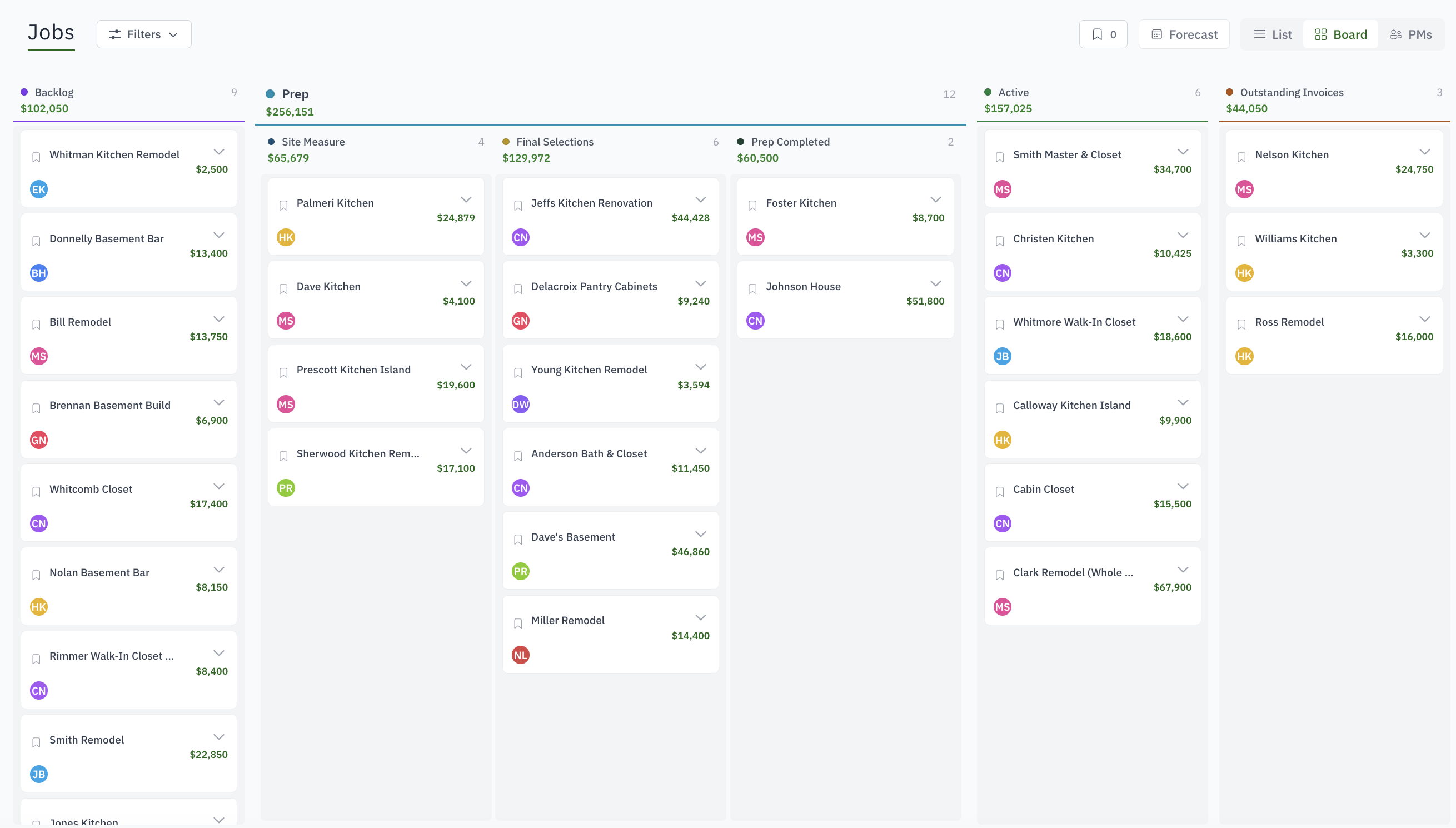
The office sees what the shop is building. The shop sees what is next. The owner sees whether the job is on time and making money.
Why it matters
For custom cabinet shops that have outgrown spreadsheets, whiteboards, disconnected calendars and the one person who remembers where everything lives.
The estimate lives in a spreadsheet while the schedule lives on a wall.
Drawings and customer changes disappear into email threads.
The shop asks what is next because production status is not visible.
Labor reaches payroll but never reaches the job that consumed it.
How it works
Step 1
Track opportunities, contacts, estimates, revisions, signatures and customer email without creating a second record later.
Step 2
Put production on the week board, installs on the crew planner, and see department capacity before you promise a date.
Step 3
Release the job to the shop. Work orders with template steps open on the shop tablet, where the crew finishes steps and clocks time.
Step 4
Raise deposits and progress invoices from the accepted estimate, record payments, and compare quoted cost and hours with actuals while the job is open.
Questions buyers ask
Woodsystems is. It was built for custom cabinet shops, millwork companies, closet companies and furniture makers: estimates with revisions, work orders released to a shop-floor kiosk, hours that roll into job cost, install planning, invoices and payments, all on one job. General ERPs bolt these on; here they are the product.
It already knows what a cabinet job is: sections on an estimate, departments on the floor, a work order per build, an install at the end. A general ERP has to be configured into that shape by a partner, and the shop floor usually never gets a screen.
No. Keep the CAD, CAM or design tool that creates drawings and machine output. Woodsystems runs the business and production workflow around the job, and the drawings attach to it.
Yes. The office works in the web app. The shop uses a shared tablet with PIN or badge sign-in that shows the released work and never the prices.
No. The strongest fit is the owner-led or midsize custom shop that needs one dependable process across sales, project management, production, billing and costing.
Woodsystems is quoted for your shop on the capabilities you use. Every shop starts with the same core: jobs, customers, estimates, invoices, payments, files, photos, work orders and time tracking.
See it in action