
Section-based estimates
Build clear proposals around how the work is sold.
Keep estimates, approvals, invoices, payments, and balances connected to the job.
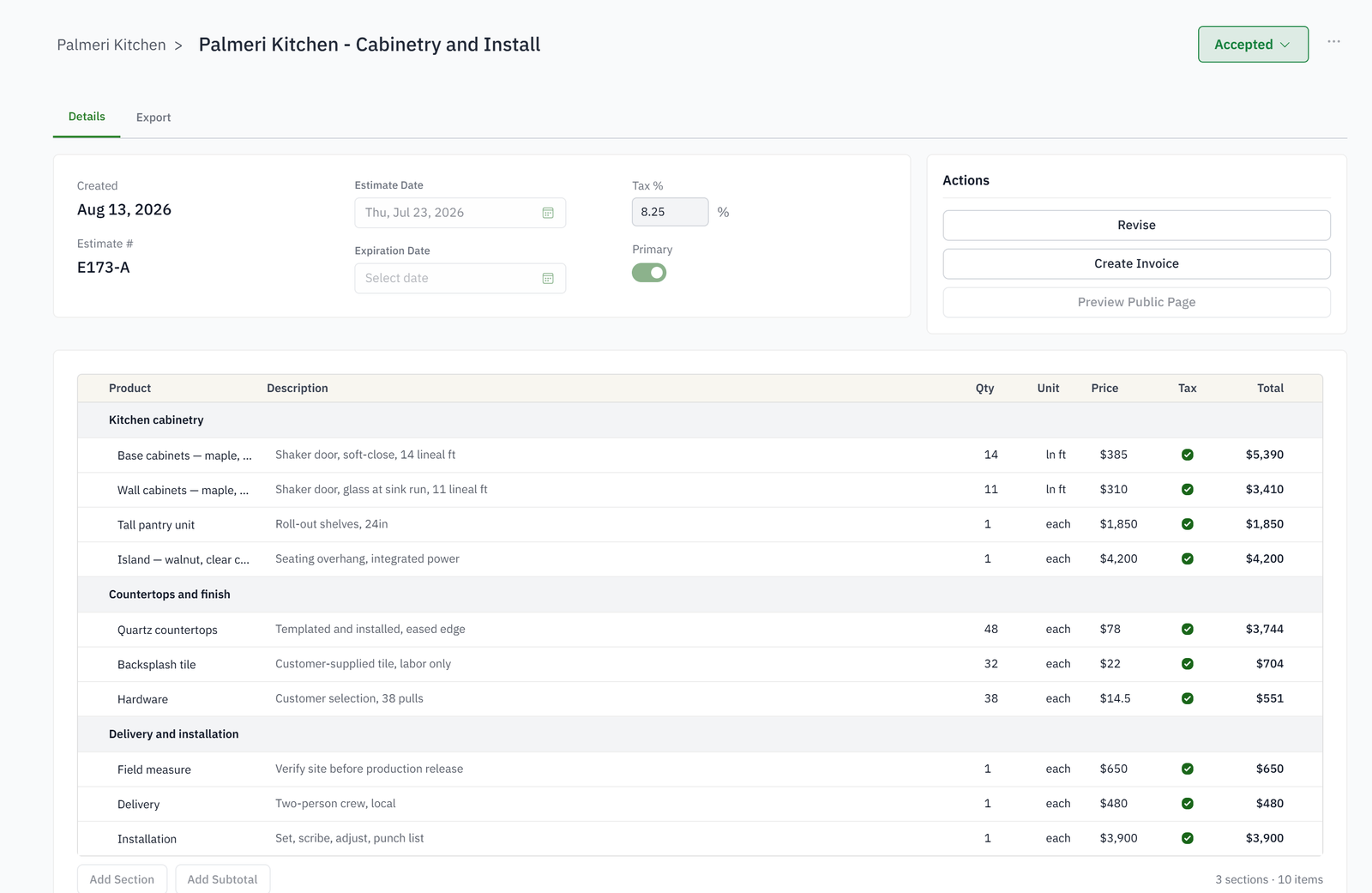
Build clear proposals around how the work is sold.
Preserve each quoted version and the current accepted scope.
Share, approve, sign, and download customer documents.
Create deposits, partial bills, and final invoices from the job.
Collect supported card or bank payments from a secure link.
Keep paid and due amounts tied to the invoice and job.
A revision keeps the previous version and marks the current one as primary. Deposits, acceptance and invoices follow the primary revision.
Yes. A payment schedule raises a deposit, progress invoices and the balance at the milestones you set, or when you press Bill now.
Yes, from one link with no login: review the current revision, accept, sign if asked, and pay by card or bank on the same page.
Every payment, refund and credit sits on the invoice and the job, and the balance updates the moment it is recorded. Online payments record themselves.
No. Customers, estimates, invoices, payments and hours sync with QuickBooks Online every night, and QuickBooks stays the ledger.