
One job record
Keep the people, work, money, files, and history together.
Jobs, time, files, email, schedules, production, billing, and reporting stay connected.
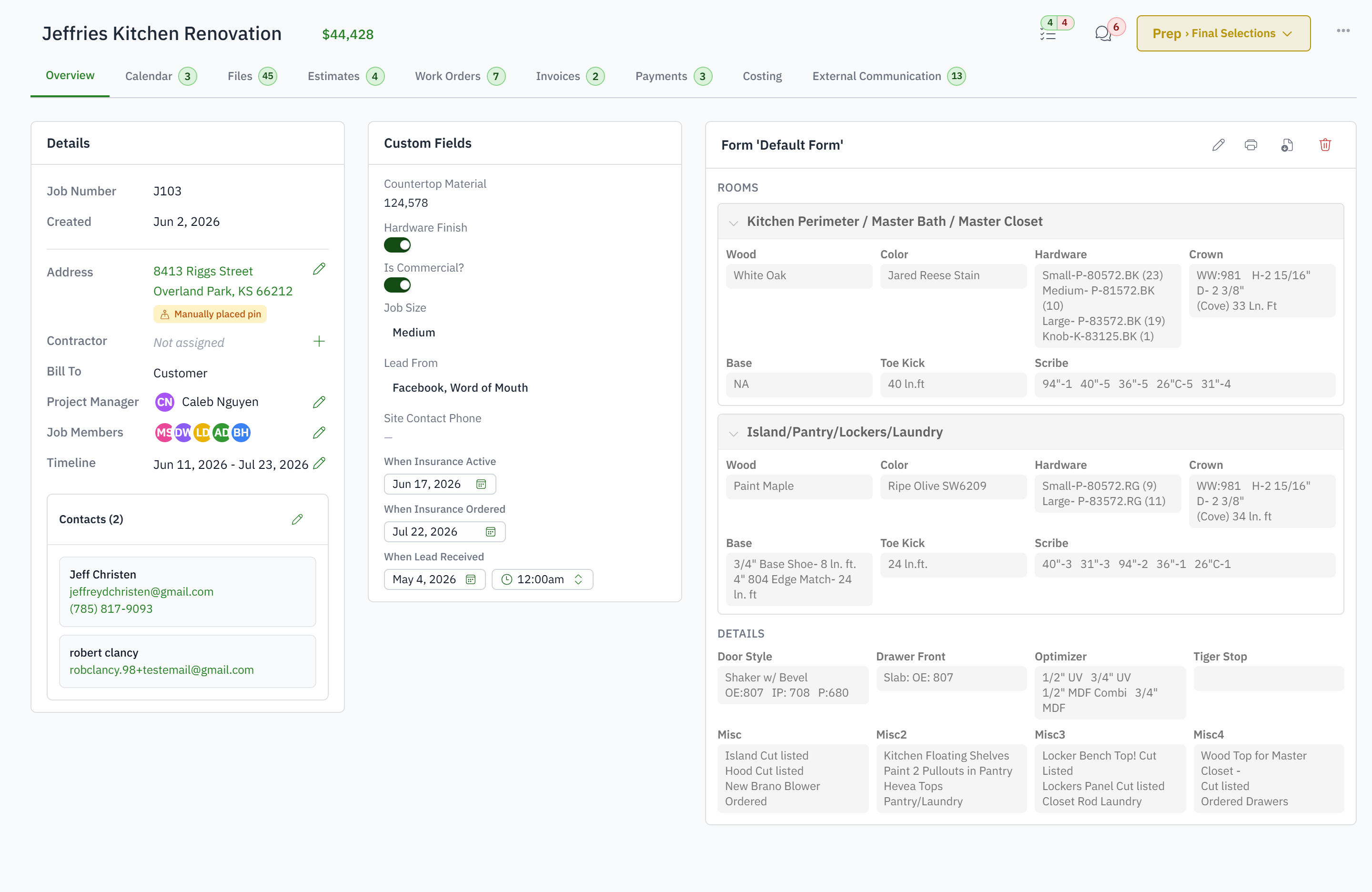
Keep the people, work, money, files, and history together.
Store drawings, documents, and marked-up field photos on the job.
Keep customer replies and attachments out of private inboxes.
Connect hours to the jobs and work orders that used them.
Plan office, shop, delivery, and installation work together.
Give every role the right view of the same current information.
The customer, the job, the estimate, the files, the email, the schedule, the work orders, the hours, the invoices and the payments are one record. Nobody rebuilds the job when it moves from the office to the shop to the installer.
Yes. Jobsite photos, markup and filing are included for every shop, and the job's files, email attachments and marked-up photos all live on the job. If you want to keep a cloud drive, the job folder syncs both ways with Google Drive, OneDrive or Dropbox.
No. Production users never see estimates, invoices, payments, products or reports, and the shop tablet has no money screens at all.
Yes. The office uses the web app, installers use the native app, the shop uses the tablet. Same job, three screens.
No. Every shop starts with the connected core, and capabilities such as capacity planning, the kiosk, reports, manufacturing and inventory are added when your setup includes them.