
Build
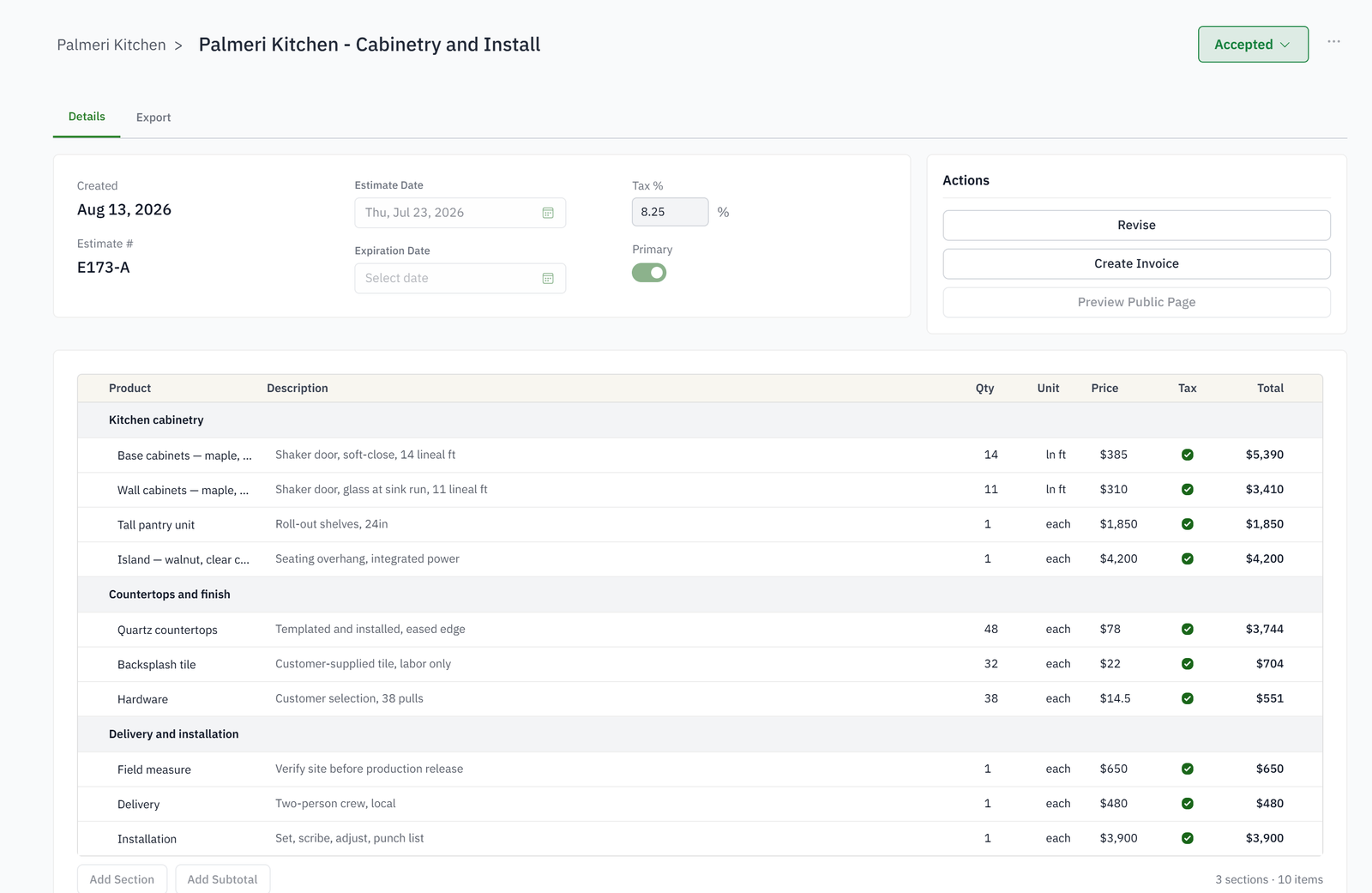
Organize the estimate into sections with quantities, units, prices, tax treatment, descriptions, and reusable catalog items.
Keep customer approval, revisions, billing, and job results tied to the estimate that won the work.
For cabinet estimators and owners who need consistent proposals and a clean path into billing.
Pricing and proposal formatting happen in separate documents.
Customers and staff cannot tell which revision is current.
Accepted scope is re-entered when invoices are created.
Deposits and progress billing lose the connection to the agreed total.

Organize scope into clear sections, revise it cleanly, and carry the accepted estimate into billing.
Organize the estimate into sections with quantities, units, prices, tax treatment, descriptions, and reusable catalog items.
Copy, revise, or start fresh while preserving a clean history and identifying the estimate the job answers to.
Send a professional customer-facing document and capture acceptance or signature without emailing competing files.
Create deposits and invoices from the approved estimate, record payments, and connect quoted assumptions to job costing.
In sections that match how the work is sold, such as kitchen, island and pantry, each with lines from your catalog: products with options and swatches, assemblies, and one-off parts. Every line has its own costing panel: rule, markup, material and hours.
Products carry labor by department. The estimate adds it up and prices it at your loaded rates and target margin, so the quote and the costing tab agree.
A revision keeps the previous version and marks the current one as primary. The job, the schedule and the invoices answer to the primary revision.
A payment schedule, such as a deposit on acceptance, a progress payment at a status and the balance on completion, is applied to the estimate. Each milestone raises its invoice when it fires, or when you press Bill now.
From a link, with no login. They review the current revision, accept it, sign if you ask for a signature, and pay the deposit on the same page.
The estimate is commercial. Cut lists come from the work order's bill of materials, by material and with a machine's rate for each, when manufacturing is part of your setup.