
Opportunity
Capture the customer, contractor, scope, estimate, follow-up, and probability without creating a disposable sales record.
One job carries the customer, quote, schedule, drawings, shop work, communication, billing, and real performance from the first call through closeout.
For owners and project managers running several custom jobs across the office, shop, and field.
Sales and production maintain different versions of the project.
The next action is trapped in a person's notes or inbox.
Dates change without the full team seeing the consequence.
The latest drawing or customer decision is difficult to verify.

Sales, the PM, production, and installation verify changes and next steps on the same record.
Capture the customer, contractor, scope, estimate, follow-up, and probability without creating a disposable sales record.
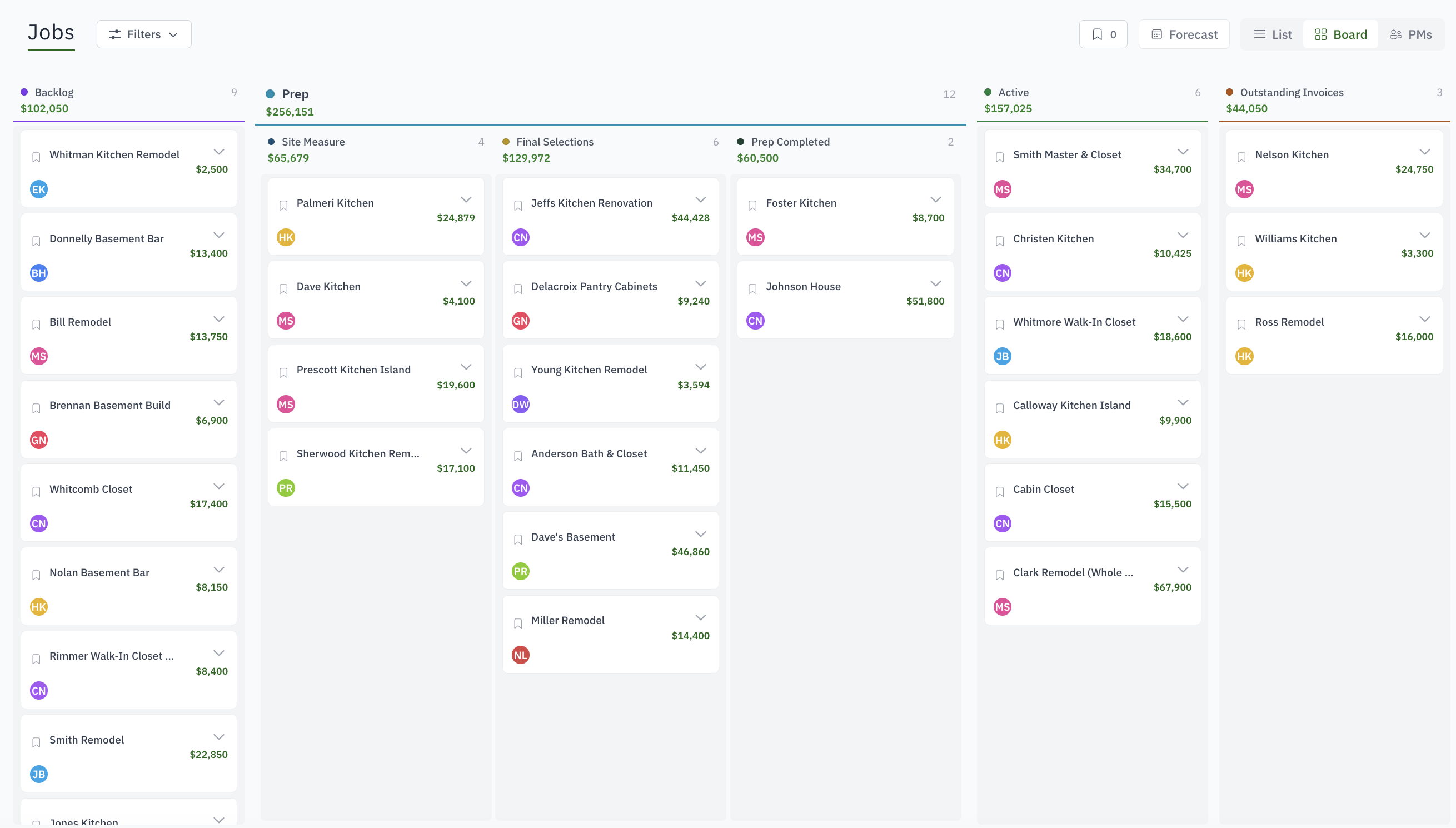
Move won work through custom stages and statuses while keeping tasks, files, messages, forms, dates, and responsible people attached.
Issue work orders, track phases and checklists, collect labor, and expose the right work to the shop floor.
Keep invoices, payments, cost, margin, signed documents, and project history available after completion.
Yes. Jobs move through statuses you define, with sub-statuses under each, and the board shows them as columns in your colours. Prep, active production and install are the fixed backbone; everything inside them is yours.
Every job has a project manager and a member list, separate from company-wide roles. The dashboard briefing shows each person their own tasks, events and overdue work for the jobs they are on.
Customer and contacts, estimates and revisions, invoices and payments, files and photos, email threads, work orders, hours, tasks, custom fields and the activity history, on the tabs of one page.
Overdue tasks, work orders past their expected end and jobs aging in a status show on the dashboard and on the board as they happen, not in a report you have to run.
Yes. An opportunity is the same record with a different flag. When it is won, the estimate, contacts and files are already on the job.
Only released ones. Releasing a job to the shop is a deliberate step that puts its work orders on the kiosk and on the week board.