
Define typed fields
Use text, number, percentage, date, yes/no, and controlled choice fields for data the company wants to filter.
Track species, finish, rooms, site conditions, selections, and checklists as usable job data.
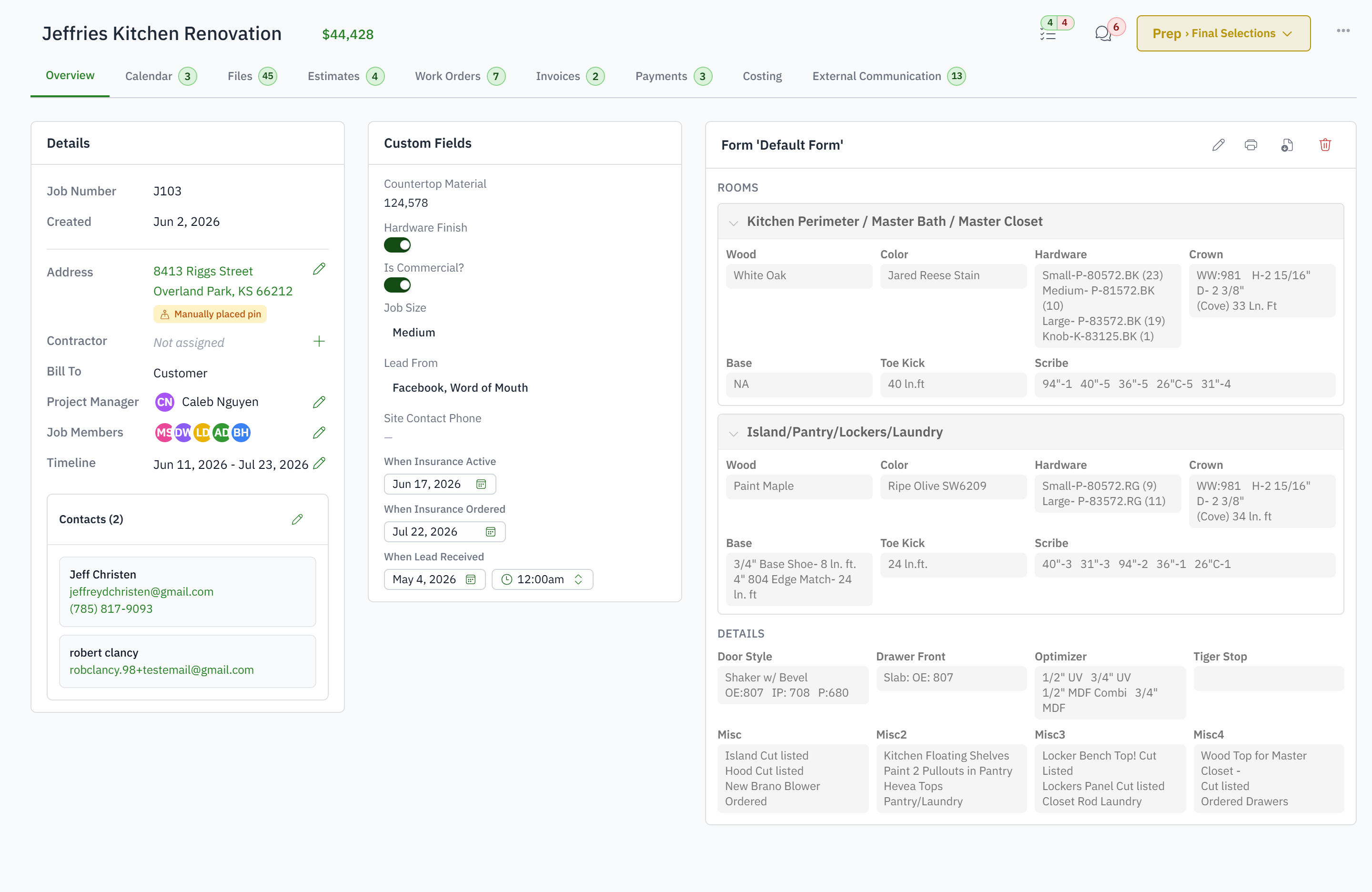
For experienced shops with a proven process that generic job records cannot hold.
Repeated values are entered with inconsistent spelling.
Important facts cannot be filtered or reported.
Printed job forms go stale.
Checklist fields lack an owner and due date.
Use text, number, percentage, date, yes/no, and controlled choice fields for data the company wants to filter.
Create reusable sections, fields, checkboxes, and repeating groups for the working job document.
Give form work an owner, due date, completion state, or supported status.
Bring structured custom values into sheets and reports instead of retyping them.
A custom field stores one reportable fact about the job, such as species or finish. A job form is a working document with sections, checkboxes and repeating groups, such as a room-by-room site survey.
Yes. Custom fields are columns in sheets and filters and groupings in the report builder.
Yes. A form field can carry an owner, a due date and a completion state, so a form runs a process rather than recording one.
Yes. Repeating groups let one form cover every room, every elevation or every cabinet run.
Yes. A rule's conditions can read them.