
Choose the trigger
Start from a meaningful event such as a stage or status change.
Run routine handoffs automatically and keep a record of what happened.
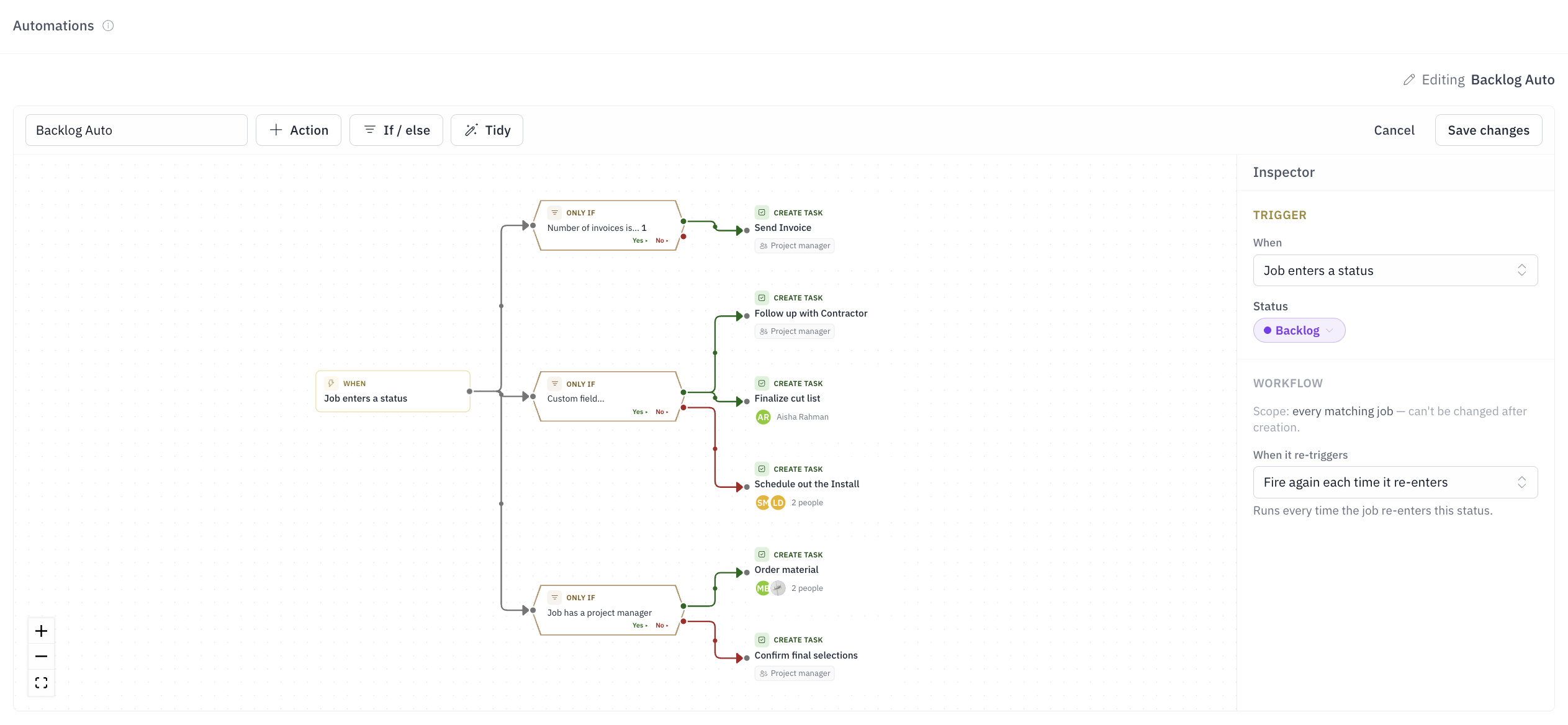
For operations-minded owners whose follow-up still depends on memory.
A won job waits for someone to create production work.
Customer follow-up depends on memory.
The same task list is rebuilt for every project.
Teams distrust automation they cannot audit.
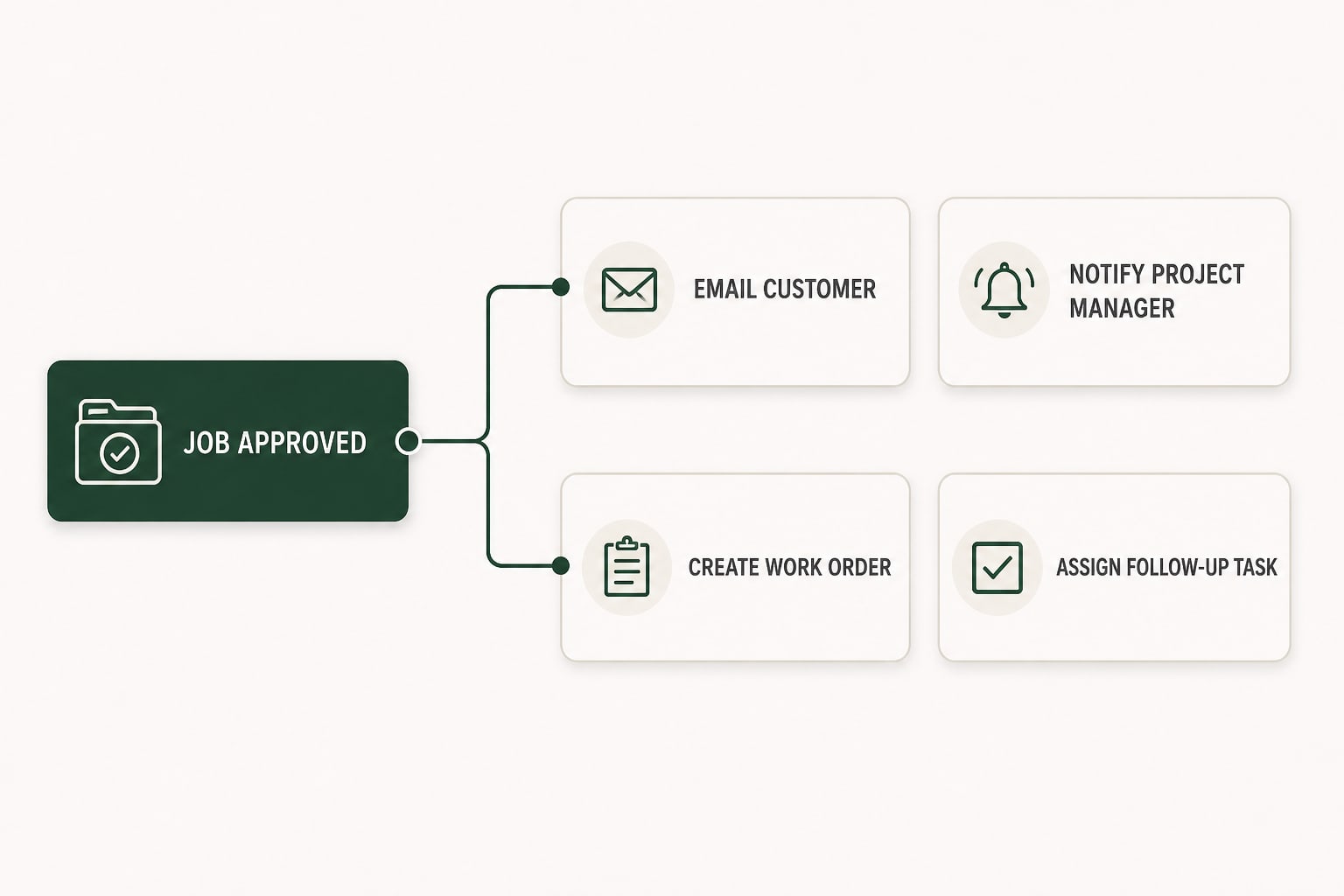
A job event can email the customer, notify the PM, create the work order, and assign the follow-up task - with execution history showing what ran.
Start from a meaningful event such as a stage or status change.
Limit the rule to the jobs, people, or values where the action belongs.
Create assigned tasks, send notifications or email, and make the appropriate work order.
See what ran, what it created, and why an action was skipped.
A job reaching a status, an estimate being accepted, a number of days passing, or a work order finishing a step.
Create and assign tasks, send notifications or email, raise the next invoice on a payment schedule, and create work orders.
Yes. A rule can be limited to a job type, a status, a person or a field value.
Yes. The job's activity feed shows every action a rule took and why a step was skipped.
In the app, by email, and by push notification on the phone, according to each person's own notification settings.