
Identify the worker
A worker chooses their profile at the shared kiosk and verifies with a personal PIN.
Collect time where the work happens and use the same hours for timesheets, production history, and job cost.
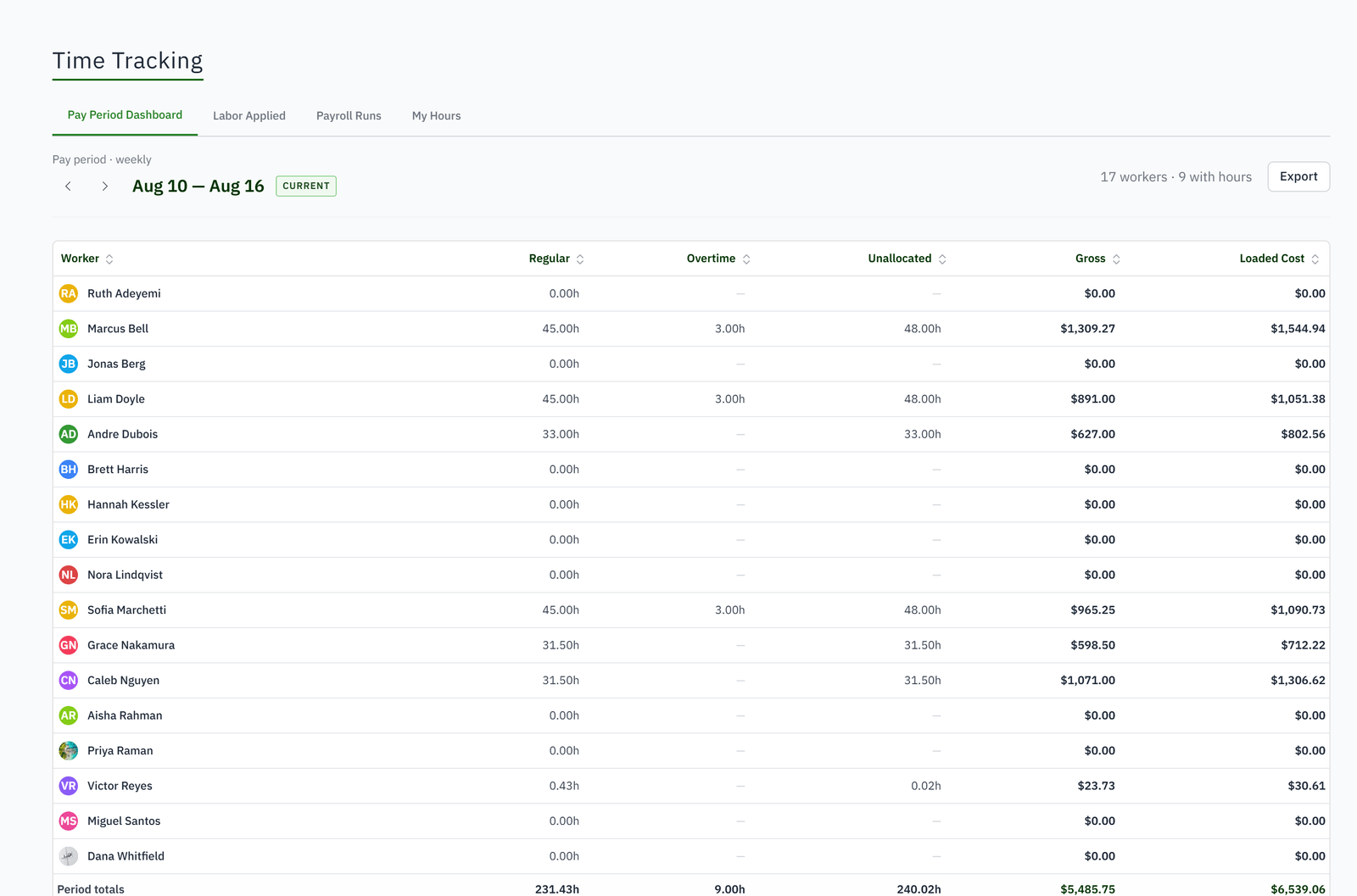
For owners and shop managers who need labor by worker and job without handing every worker the office system.
Paper timecards show attendance but not the work performed.
Employees forget job changes and reconstruct them later.
Owners estimate labor from instinct because actual history is incomplete.
A weak internet connection makes teams distrust the time clock.
A worker chooses their profile at the shared kiosk and verifies with a personal PIN.
Clock against the relevant job or work order so the hour carries production context.
Queue and replay punches safely through connection interruptions without duplicating accepted events.
Review timesheets, labor by job or work order, and actual performance inside job costing and reports.
Separate drafting, production, finishing, and installation instead of leaving one undifferentiated payroll total.
At the shop tablet with a PIN or by tapping a badge. Hours belong to the person, and a punch stamps the work order's current step so the time lands where the work was.
No. The tablet is shared and scoped to its department. Only office users have accounts.
The loaded rate: wage plus overhead, set per person or per group. Every labor cost on every job uses it.
Yes, on timesheets in the office. Corrections and deletions follow the original hours through to QuickBooks.
Tracked hours are pushed to QuickBooks Online each night when that sync is on.
Yes, from the native app, against the install work order they are on.