
Open the complete job
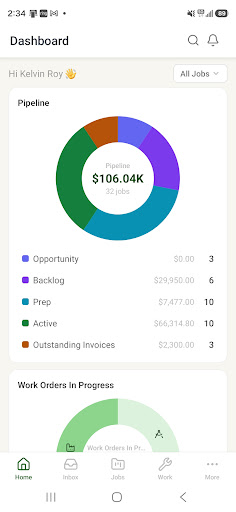
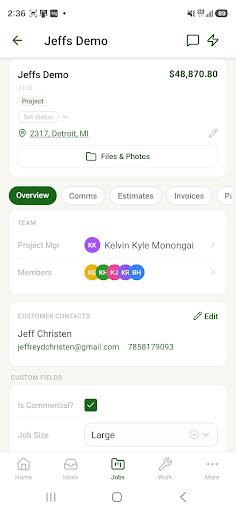
Review contacts, custom fields, dates, tasks, drawings, files, estimates, invoices, payments, work orders, and current job history.
Carry the working job with you: communication, reports, tasks, custom data, money, files, field work, and progress.
For owners, project managers, installers, field measurers, and delivery teams working away from a desk.
A customer or shop question arrives while the project manager is away from the desk.
Internal updates and customer communication split across calls, texts, and personal inboxes.
Tasks, reports, custom job facts, invoices, and payment status are treated as desktop-only information.
Field notes, photos, progress, and hours return to the office late or without job context.
Review contacts, custom fields, dates, tasks, drawings, files, estimates, invoices, payments, work orders, and current job history.
Read and send customer email, follow the job conversation, share files, and keep internal updates available to the people responsible for the work.
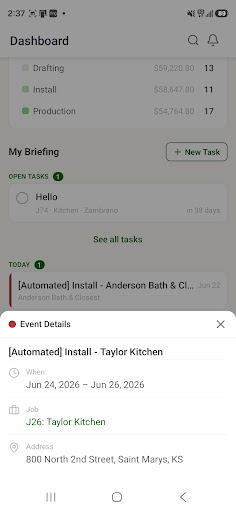
Handle assigned tasks and events, open reports, review job and payment status, receive alerts, and act without returning to a desktop.
Complete work-order phases and checklists, add notes, mark up photos, update progress, record payments, and apply hours to the job. Shift clock-in remains on the shop-floor kiosk.
Owners, project managers, installers, measurers and delivery crews. It is the same jobs, with the screens each role needs, on iPhone and Android.
Open the install work order, work through its steps and checklist, add notes, capture and mark up photos, and log hours against it. The office sees it the same minute.
Yes. Job email threads are on the job in the app, and a reply from the phone lands in the same thread.
Signature packets can be built and sent from the app. Sending an estimate or invoice for signature is done from the office web app.
Yes. If you have turned it on for your account, the app asks for the code from your authenticator.
Yes. Hours applied to a work order from the phone are the same hours the costing tab and the timesheets use.