
Configure the station
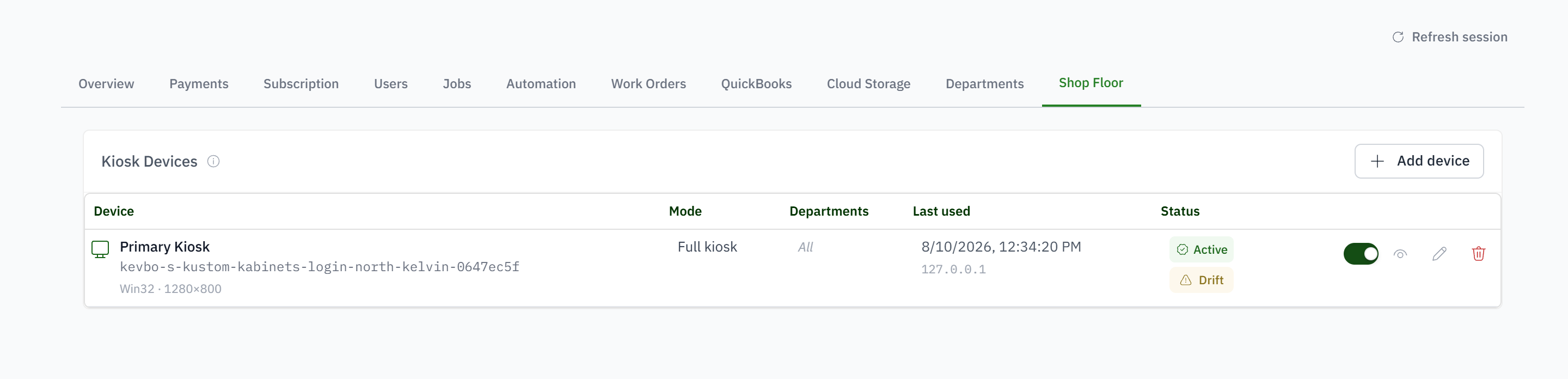
Choose the kiosk mode and departments for each device so a finishing-room tablet shows the people and work relevant to finishing.
Put work orders, checklists, and time entry at the station while keeping company financials off the floor.
For shop managers using shared tablets in production, finishing, assembly, or shipping.
Paper timecards say who was present but not which job consumed the hours.
Most production workers do not need - or want - a complete administrative account.
Supervisors become the bottleneck for every checklist and status update.
Generic time clocks lack the work-order context needed for job costing.
Choose the kiosk mode and departments for each device so a finishing-room tablet shows the people and work relevant to finishing.
A worker selects their profile and verifies with a personal PIN instead of signing a full user account in and out all day.
Start or stop time against a job or work order and preserve the worker, device, and work context for the resulting time entry.
Open work orders, follow phases, complete checklist items, and update status so the office can see progress as it happens.
The worker's own screen: time and tasks in a rail, the released jobs and their work orders, and a scan box. Every tablet carries its department, so it shows that department's work.
With a personal PIN, or by tapping a badge on a reader. Both are the same credential.
No. A tablet's sign-in claims the credential. The office can sign a tablet out from Company Configuration.
Work order labels, part labels, supplier barcodes at receiving, and cart pull tickets. The label carries a QR code and a short code for plain barcode guns.
Yes. Receiving at the door happens on the same tablet: scan the supplier barcode or the purchase order, count, print labels. Lines that do not match a purchase order go to the job.
No. Estimates, invoices and costs are not part of the kiosk.